
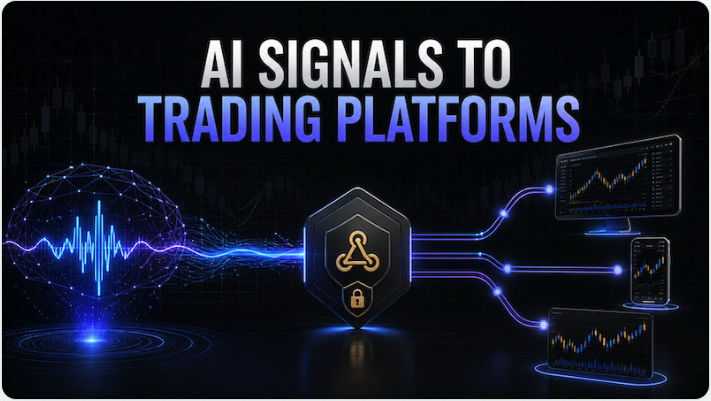
Trading signals are easy to generate. Getting those signals to the platform where you actually trade can be a little more complicated.
TradingView can send Webhook Alerts, and our AI Alert service can also send an automatic webhook when the analysis produces an actionable trading decision. But not every broker or trading terminal provides a simple webhook endpoint that can receive a signal and immediately open a position.
This is where a service such as AlgoWay can be useful.
What does AlgoWay do?
AlgoWay acts as a bridge between your signal source and your trading account.
A typical setup looks like this:
AI Alert or TradingView → Webhook → AlgoWay → Trading Platform
For example:
AI Alert → AlgoWay → MetaTrader 5
or:
TradingView Strategy → TradingView Alert → AlgoWay → cTrader
or:
AI Alert → AlgoWay → Alpaca
Instead of building and maintaining your own integration with every broker, you send a webhook to AlgoWay TradingView Automation. AlgoWay interprets the trading command and forwards it to the selected platform using the appropriate API, connector or, in the case of MetaTrader 5, its Expert Advisor.
Why use a webhook bridge?
Some trading services already support TradingView webhooks directly. In that case, an additional bridge may not be necessary.
The problem appears when you want to trade through platforms such as MetaTrader 5, cTrader, Alpaca, TradeLocker, Match-Trader, DXtrade or another supported broker/platform where receiving a generic TradingView-style webhook is not the normal way to open trades.
AlgoWay handles the intermediate work.
Depending on the destination and configuration, the webhook can contain information such as:
- trading symbol;
- BUY or SELL direction;
- order size;
- OPEN or CLOSE action;
- Stop Loss;
- Take Profit;
- other supported execution parameters.
It also gives you a central place to configure routes and check webhook processing instead of creating a separate integration for every trading platform.
Using Elixo AI Alert with AlgoWay
AI Alert is useful when you want the trade decision itself to be generated automatically.
You configure the market, direction, timeframe, strategy, analysis settings, Take Profit, Stop Loss and analysis schedule.
The market is then analyzed repeatedly.
The result may be:
OPEN LONG
OPEN SHORT
or WAIT
When an opening decision is generated, AI Alert can send a webhook containing the trade information to an external service.
This means the complete automation can look like:
Market Analysis → AI Decision → Webhook → AlgoWay → Broker
For example, an AI Alert monitoring AAPL could generate an opening signal, send it to AlgoWay and have the order routed to an Alpaca account.
The same principle can be used with other markets and supported trading platforms.
Using TradingView with AlgoWay
TradingView is another common signal source.
A strategy, indicator, Pine Script or even a regular TradingView alert can trigger a webhook. Instead of sending that webhook directly to a broker, you use the Webhook URL created in AlgoWay.
The workflow is simple:
- Create the required trading connection in AlgoWay.
- Create a webhook route for that connection.
- Copy the AlgoWay Webhook URL.
- Add it to your TradingView Alert.
- Send the required trading parameters in the alert message.
- Test the setup before using it for live trading.
For automated strategies, TradingView can dynamically pass the ticker, order direction, quantity and other values inside the webhook message.
MetaTrader 5 is a special case
MetaTrader 5 normally does not work like a conventional REST API broker where an external webhook simply creates an order.
AlgoWay solves this with its own AlgoWayWS-MT5 Expert Advisor.
The route becomes:
TradingView / AI Alert → AlgoWay → AlgoWayWS-MT5 EA → MetaTrader 5
The Expert Advisor runs inside MT5 and maintains the connection used to receive trading commands from AlgoWay.
This makes it possible to connect TradingView or another webhook-based signal generator to brokers that provide trading through MetaTrader 5 without having to develop your own MT5 bridge.
What platforms can be used?
AlgoWay supports several types of destinations, including integrations for platforms such as:
MetaTrader 5, cTrader, TradeLocker, Match-Trader, DXtrade, Alpaca, Tradovate, as well as a number of cryptocurrency exchanges and other trading services.
The exact connection method depends on the platform. Some use an API, while others require a dedicated connector or Expert Advisor.
It is therefore worth checking the currently supported integrations before choosing a broker specifically for automated trading.
👉 See AlgoWay and create an account
A convenient way to connect different trading systems
The main advantage of this approach is that your signal generator does not need to know how every individual broker works.
AI Alert or TradingView produces the trading signal.
AlgoWay handles the connection and routing.
Your broker or trading platform executes the order.
This separation is especially convenient if you use several signal sources or want to run the same strategy on different types of trading accounts.
You can start with a demo or paper-trading account, verify that symbols, quantities, LONG/SHORT actions and position closing work as expected, and only then move the setup to live trading.
Important: automated execution does not remove trading risk. Always test a new webhook configuration with a demo account or small position sizes before using it with significant capital.